Showing posts with label apps. Show all posts

Tuesday, March 2, 2021

Implementation Reflection

    I really enjoyed being a part of an implementation plan at my school. We did not use any technology for science or social studies, plus the students were not engaged in the lessons. I really enjoyed learning about two technology platforms that I did not even know existed until this project, Makers Empire and Tinybop Schools. I thought the most positive aspect of this plan was learning the new platforms and seeing how the students went from zero engagement to complete engagement with science and social studies. I am very proud of our team because all of us, classroom teacher and three instructional aides, went out of our comfort zones to try something new with our students. We were able to collaborate and communicate more than we ever have this year. The students really enjoyed Makers Empire because they were able to create their own animal with the guidelines that we provided them with. The challenge that we did face was when we tried to have our students try Tinybop Schools independently. The students were becoming frustrated and we could see their engagement drop. However, we quickly thought about a whole group lesson, which really pulled the students back into our lesson. When we did Tinybop Schools as a whole group, the students were able to verbalize their thinking while using this platform. Overall, I really did not think we had too many challenges besides switching our one platform to a whole group lesson rather than independent work. 

    I love that I was able to learn more about my topic of incorporating more technology into our classroom. I believe that it is so important to have the technology because it allows students to have real-world experiences. I believe that if we choose to include/look into new platforms, we can use the same approach to implement different platforms with our students. 

Image Source: https://www.indiatoday.in/education-today/jobs-and-careers/story/10-uses-of-technology-in-21st-century-jobs-1358394-2018-10-08

    As a future Technology Leader/Change Agent, I realized that there is tons of planning that goes into an implementation plan. This was a simple new technology addition to our classroom, but it made me realize that we had to learn about these platforms, make sure they were going to support our students in more ways than one, if we needed to pay for them, etc. This project has given me a bigger appreciation for the role of Technology Leader/Change Agent. 


    One of the next steps that I need to take for my journey in the Technology Specialist Program is to complete two more courses with confidence and pride when I think about my dream job. I want to make sure I am continuing to pursue my passion of teaching students about technology and the importance of how teachers can utilize technology in their classrooms. One of the steps that I am nervous about is to take the Technology Content Exam. That being said, I know that if I focus on my passion for my dream career, I know that I will pass my exam!

Image Source: https://www.teachingquality.org/learning-to-lead-together-harnessing-your-change-agent-superpower/


Monday, February 8, 2021

It's a Start!

As a technology leader, there are a lot of little details to be aware of when implementing new tools in a classroom. I quickly realized that you have to think of the platforms, how much they will cost, are there any legal situations involved, etc. This role has made me think more about the role of a technology leader, rather than someone who just creates lessons and collaborates with other teachers. The aspect of being a technology leader that I perceive to be most challenging is to make sure that I am confident enough to say to coworkers and administrators what our students need and how we can provide those resources to our students. I am a very shy person and I often “hide behind the screen” with emails. I need to work on more face-to-face interactions. I feel that I have many great ideas, but I need to practice more how to tell others what I am thinking and how the resources I find can help support our students. 

Image Source: https://medium.com/thrive-global/why-you-should-harness-the-power-of-reflection-4a8f6d7710d4

During these first four weeks of this course, I had realized that there are a lot of little things that go into becoming a technology specialist. For one, time frame. I really thought this implementation was going to take longer than it has. I was thinking about two weeks of practice for teachers and then using it with the students. But we had our meeting with the Library Director and we practiced for one day on both platforms and felt confident using them with the students. We are going to introduce the Tinybop Schools to the students this Friday (February 12th) for our social studies lesson. Friday we will be collecting our data to see if this implementation is a good fit for our class. Next week, Wednesday, we are going to use Makers Empire for science. I have really enjoyed learning about our new tools to use with the students. I think that the students will be more engaged in our lessons, rather than the teacher talking all the time. I think that this project has made me realize all of the steps that go into a technology leader and how I can implement new tools for students. 


Image Source: https://mattharrisedd.com/2015/06/28/educational-technology-leadership-2/


Sunday, October 11, 2020

Just A Tweet Away

Just A Tweet Away

Image Source: twitter.com 


Are you an educator? Do you have Twitter? If not, you need to create a profile for yourself! Years ago I created a private account on Twitter for myself, but I never found what all the fuss was about until I created a public, professional account. Twitter had taken on a whole new light for me when I created my professional account (@ms_mulay). I only created this account four weeks ago and I have come across amazing educators and organizations that have helped my Personal Learning Network (PLN) take off. A few of the educators that I follow are Paul Solarz, Shelly Sanchez, Todd'sGiftedRants, 21st Century Teacher, ColorinColorado, and so many more! 


Twitter Chats:


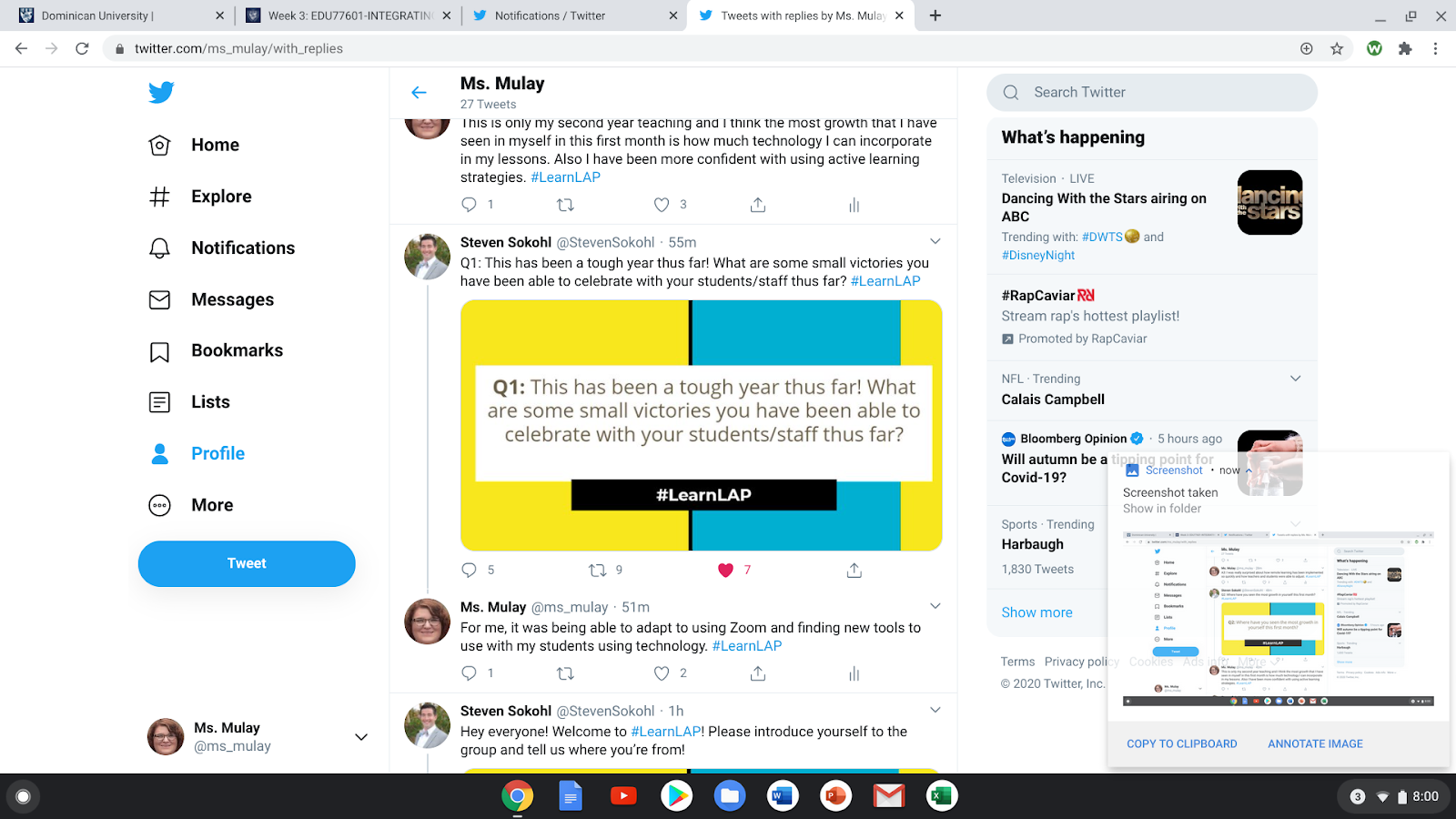
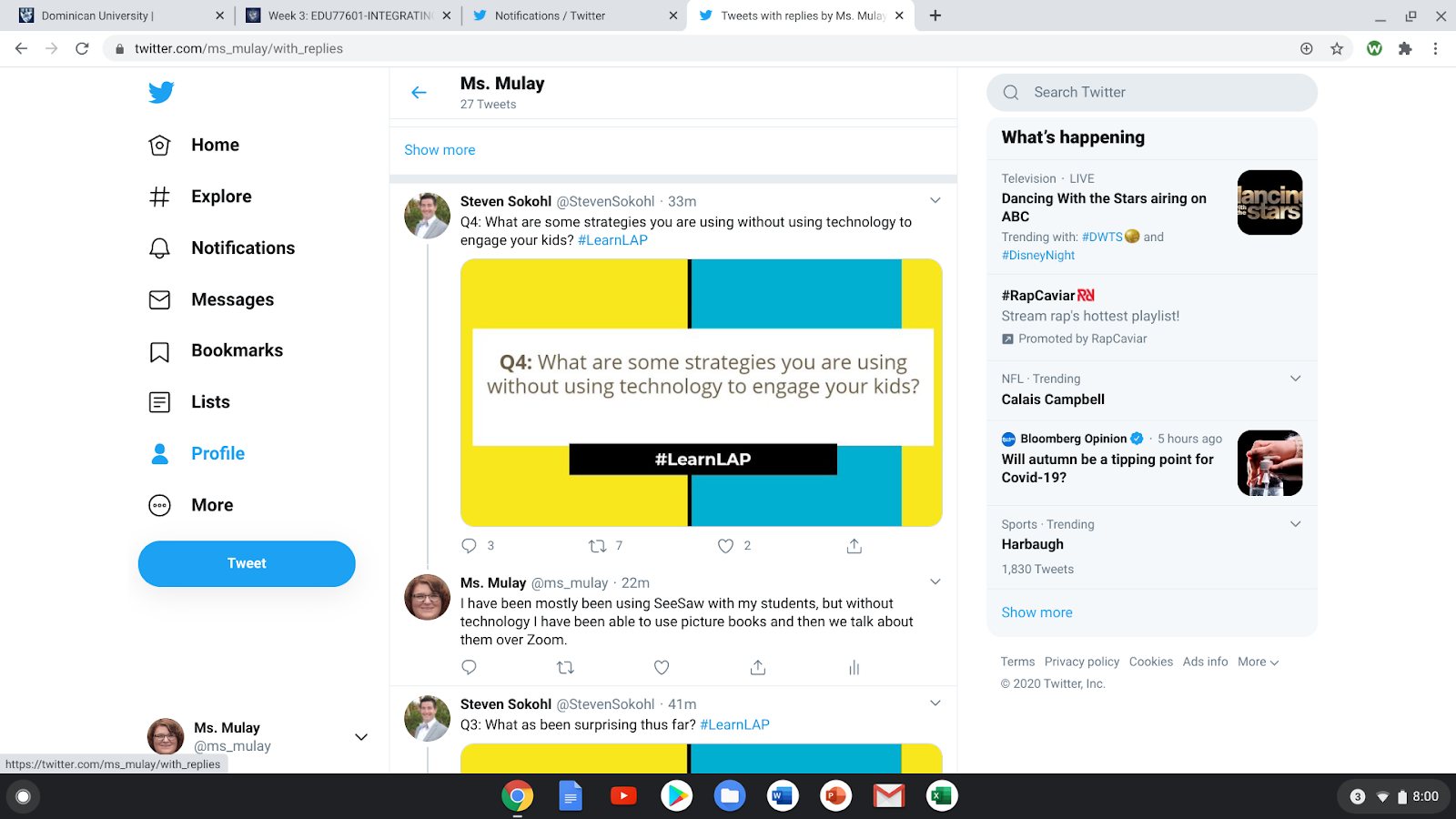
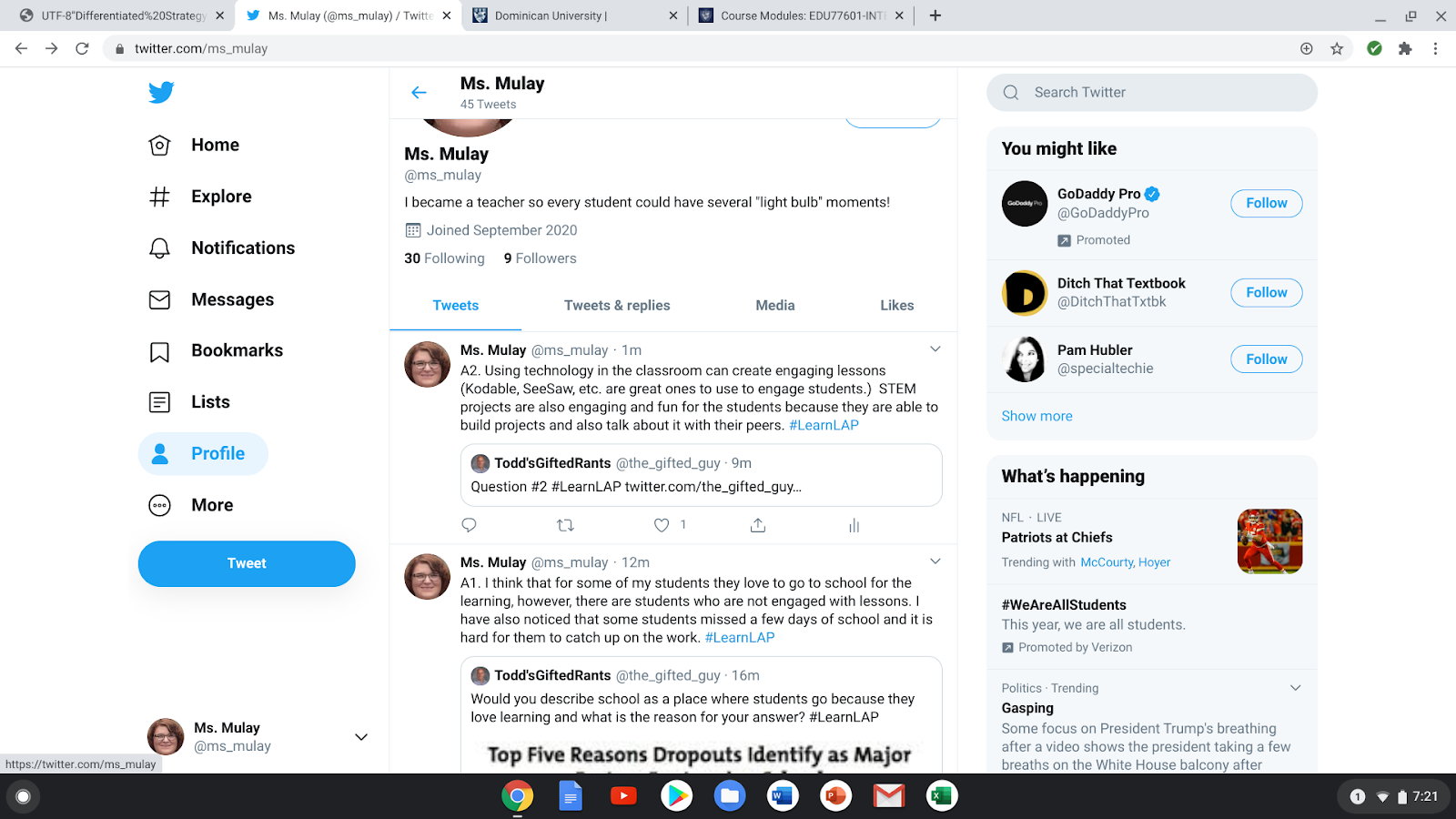
As an educator, it is important to make a professional mark, even on the internet. Twitter has many opportunities to have chats to communicate with other educators. During the four weeks that I have been on Twitter, I have participated in two Twitter Chats. The first chat that I participated in was very engaging and I had a great time answering the questions that Steven Sokohl was posting. I was writing in the comments and noticed that I was receiving a lot of feedback from other educators, which made me feel as if I was a celebrity because I never had any interactions on Twitter before. I also realized that I struggled to put in the hashtag (#) in for my responses. A goal for me is to remember to put the hashtags in my responses before I post them. I really enjoyed this chat because it helped me realize what I do as a teacher and how my job is making a difference, even in a pandemic. I also learned that it is fine to have some personal time and take a mental break because the end of last school year and the beginning of this one has really been difficult on teachers and students.


Below are my responses during this Twitter Chat.


Image Source: Deanna Mulay, Personal Images (@ms_mulay)


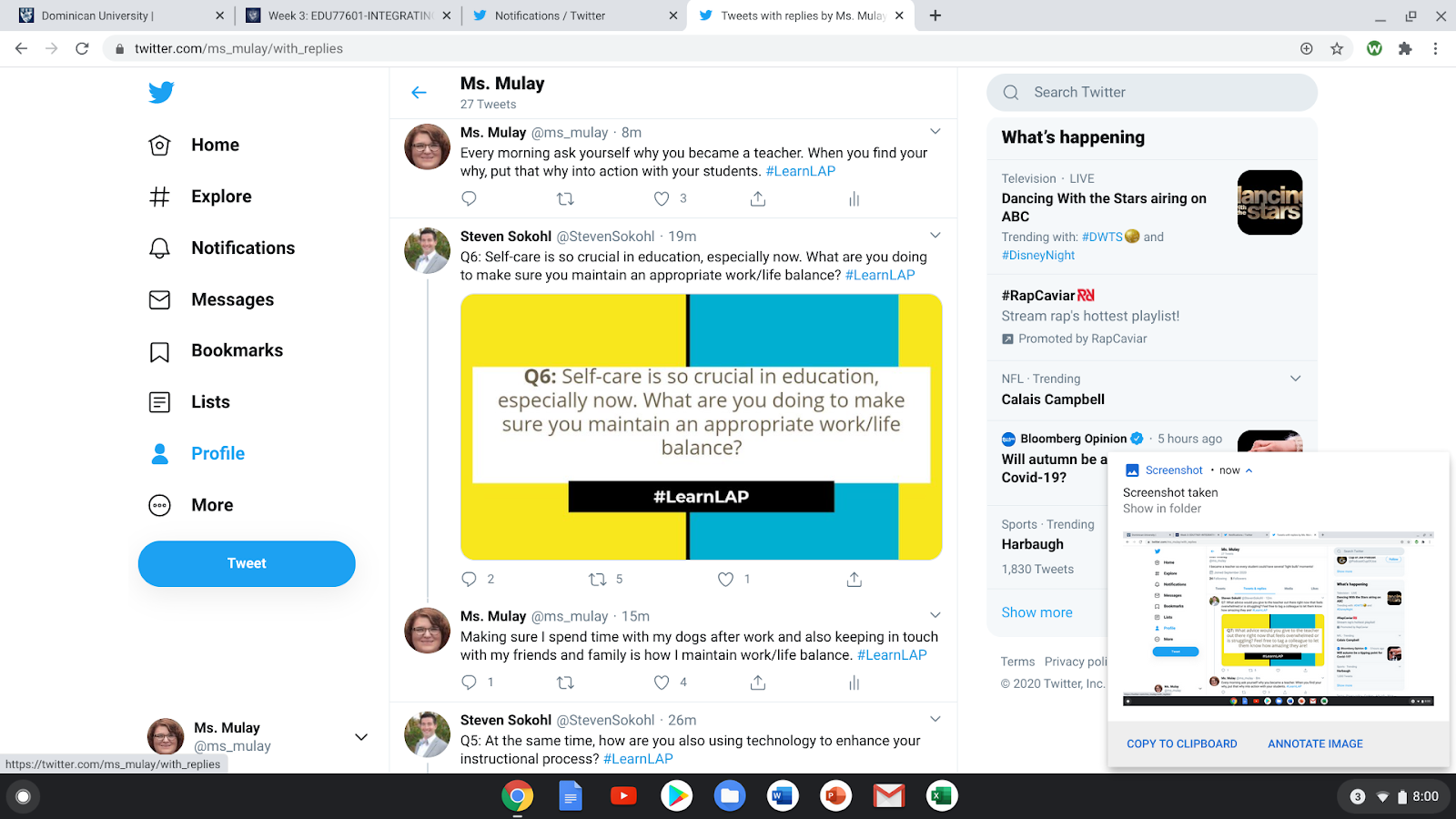
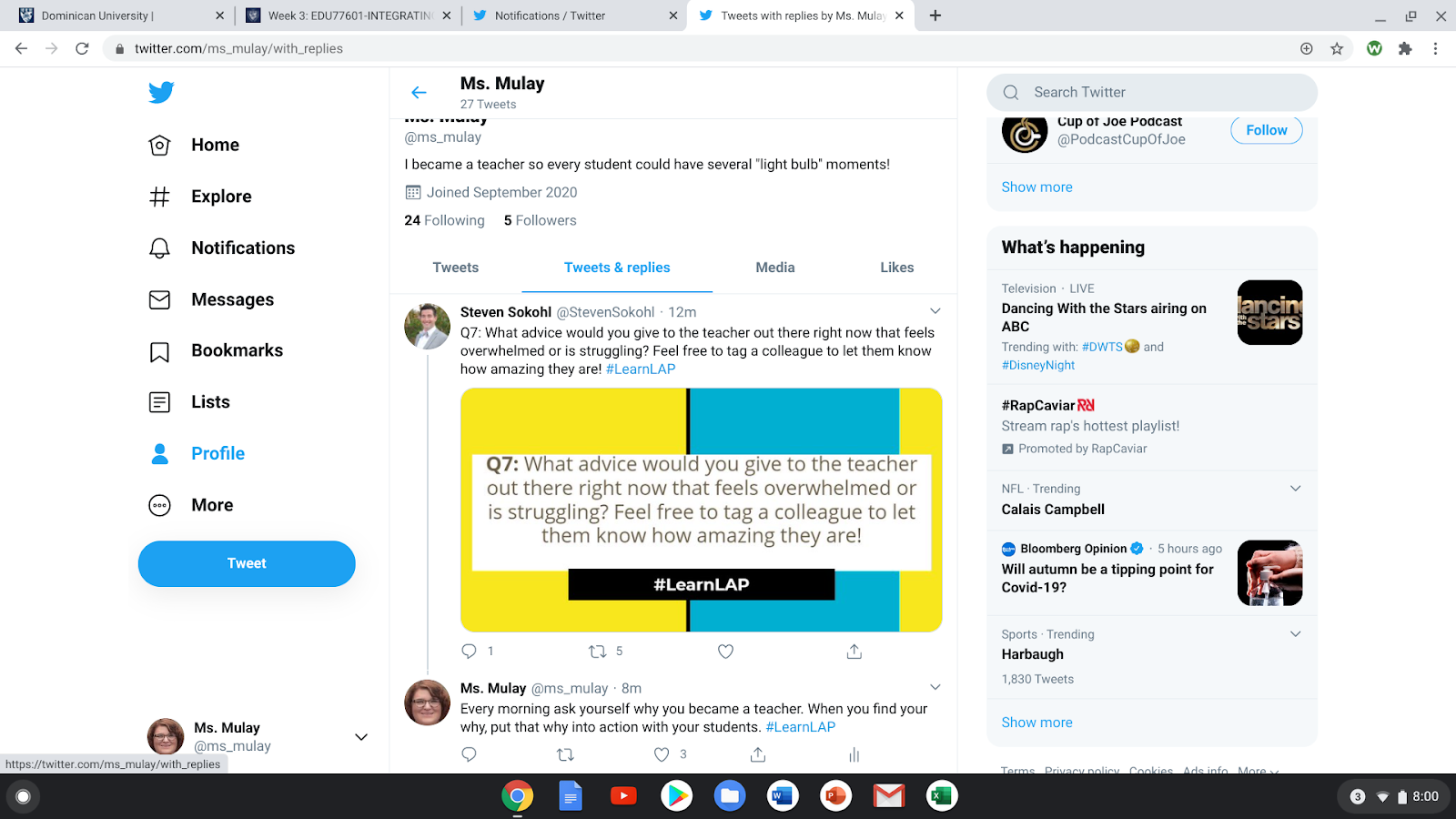
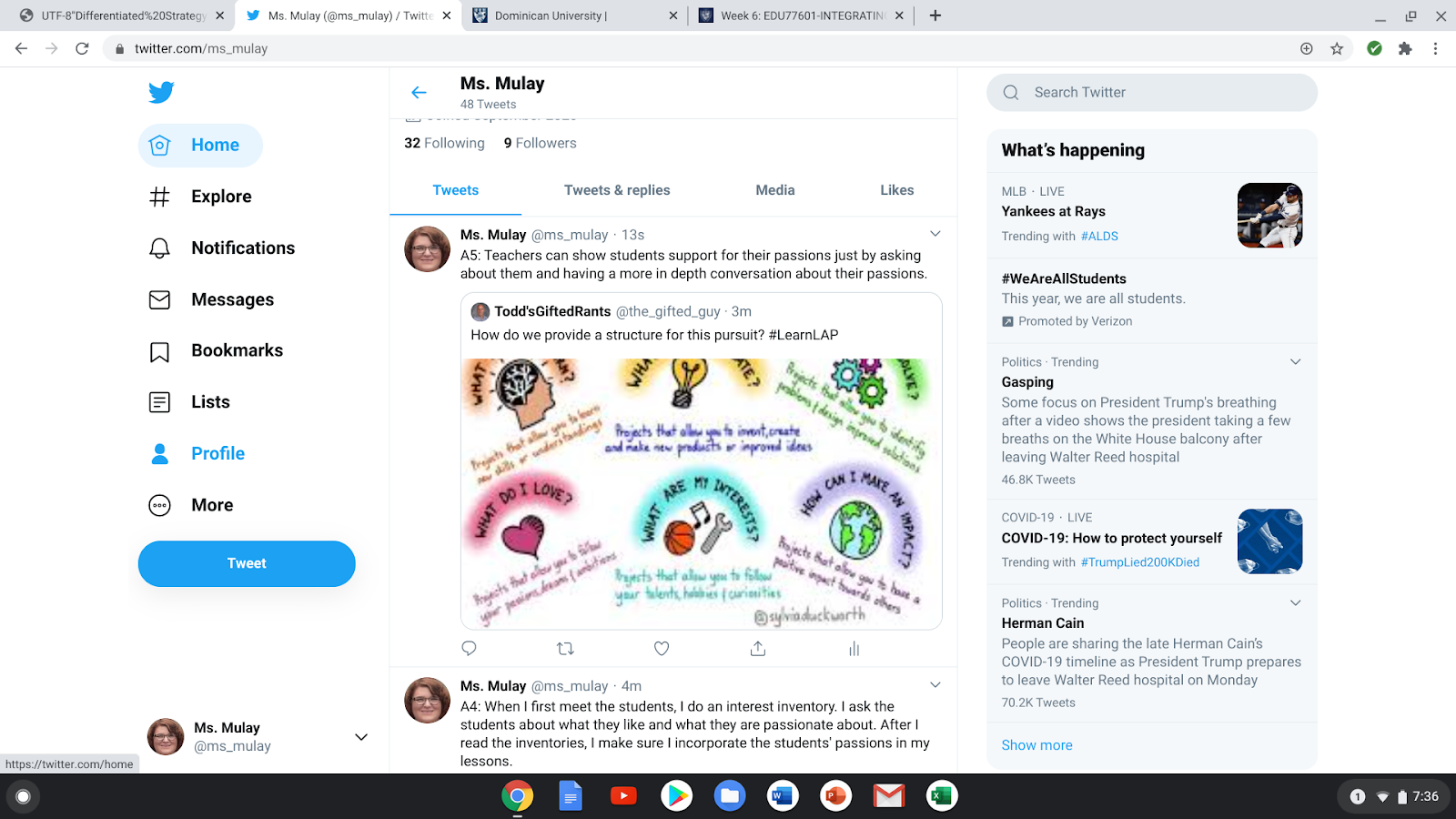
After the chat had ended, I was so excited to hear that there was another chat happening the next Monday. So I decided to join that chat, but participate in another way. I “quote retweeted” the question and wrote my answer to the question. I saw a few other people quote retweets the week before, so I thought I would give it a go. Again, I had a great time answering the questions that the host, Todd'sGiftedRants, was asking, but I found that more people were retweeting my responses and making comments to go along with or disagree with what I stated. I had a hard time accepting the comments because I am the type of person that likes to be hidden and not take risks. However, participating in the chat helped me realize that, as a professional, I need to be seen/heard and take risks by collaborating with other educators. Now I understand the purpose of a PLN and how it can help me grow as an educator. 


Again, below are my responses to my second chat. 


Image Source: Deanna Mulay, Personal Images (@ms_mulay)


Resources That Can Grow My PLN:


As I was looking up different people and organizations to follow, I came across amazing resources for teachers. I would have to say my favorite resource that I found was The Nuts and Bolts of Feedback. As educators, we rely on feedback such as observations from our administers, but we also look for feedback as teachers by giving our students assessments. To be a life-long learner, it is important to receive and give strong, supportive feedback. By asking students and even coworkers where they can see themselves in each of the cups on the worksheet (image below), it will help educators and administrators to support others to strengthen their feedback. This resource also provides students an opportunity to self-assess how they see themselves and what they may want to improve on. Self-reflecting is also a great skill for a life-long learner to have. There are so many resources on Twitter that I was missing out on when I did not create my professional account.


Image Source: https://twitter.com/FloopEdu/status/1306262600951279617 


Reflection on Twitter: 


Signing up for my Twitter account, I was reluctant because I thought it was going to be hard to chat with other educators and the tweets would be about random facts or thoughts that people decided to share. However, I found out that Twitter is a great way to find resources, connect with other educators, and build a digital footprint professionally. When I get home, I look forward to scroll through my Twitter feed and see if there are any chats going to happen or if any new books or resources are available. If I did not sign up for Twitter, I would truly be missing out on building and also expanding my PLN. So, if you are an educator who has not signed up for a Twitter account, think about signing yourself up. You never know what resources you will find!   


Thursday, October 8, 2020

Kahoot!

 What is Kahoot!?

Kahoot! is an interactive game for students and even adults to use. Kahoot! is easy to create, share and play learning games or trivia quizzes in minutes. It is engaging for all players and it can be played on a computer, tablet, or smartphone. Kahoot! allows students to play at home during remote learning. While in the classroom, students are able to play on their Chromebooks or tablets.

Image Source: https://kahootinfo.weebly.com/  

Why did I choose Kahoot!?

Back when I was finishing up my general education courses in college as a sophomore, I was taking a Spanish class and did not follow one thing the teacher was saying. I can still remember the day she told us she was going to try something different...it was Kahoot! At first, I hated the idea of answering questions and everyone is going to see that I was getting the answers wrong. When I found out that the answers in the poll (like in the image below) were anonymous, I fell in love with this game! 

Image Source: https://digiteacher.wordpress.com/category/polling/ 

As time went on, no other teacher used Kahoot! so I just forgot about it, until this year. During remote learning, I was watching other teachers use Kahoot! with their students and I wanted to try it out, but I was so nervous that I would mess it up for the students. Sadly I did not do it with last year’s students, but recently I did try it with my coworkers. It was like I was in college again, having fun and super engaged with the content we were learning. At that moment I realized that I needed to bring Kahoot! into some of my lessons. I did try it out with my students online. They loved the game so much that they want to play every time we hop on Zoom. I could feel the engagement through a computer screen, so I cannot wait to feel the excitement about Kahoot! in person!

How can Kahoot! be accessed and what are the benefits of playing it?

In this brief narrated PowerPoint, you will learn how Kahoot! can be played and what the benefits are for teachers and students! 


How could Kahoot! be used in a lesson?

Kahoot! can be used in so many different ways in the classroom. For me, I generally use it as a review game at the end of a chapter or lesson. I like to use Kahoot! with older students reading a chapter book. At the end of each chapter, I can ask them five to ten questions to see how much the students remembered about that chapter (i.e. characters, plots, etc.). Since Kahoot! can also be played with adults, it is great for a brain break game of trivia or a review of the meeting. Whether you use the Classic mode or the Team Mode, Kahoot! is able to engage its players and make learning fun! 

Extra Resources: 

This video provides information on how to use Kahoot! reports to assess learning outcomes.

This article discusses the pros and cons of Kahoot! 

This is an article about Kahoot! being game-based learning. 

This is the Professional Development that Kahoot! has available.

This video walks you through the steps to create a quiz on Kahoot!  

This link provides more information on team mode of Kahoot!

How is Kahoot! game-based?

How can Kahoot! be used as a communication tool?

Thursday, October 1, 2020

Students with Digital Media and Digital Citizenship

This week, I was able to look at different research statistics. I have had technology in my hands since the seventh grade, which was my first (flip) phone, and I have never put technology down since. From the time that I had my first phone to now, times sure have changed, especially since the Covid-19 pandemic. All of a sudden we were in classrooms and now we are online. We will go back to the classrooms one day, but the technologies that we have learned to use will carry over into our “toolbox” forever. However, since technology has grown, we need to make sure we are teaching our students about digital citizenship. Common Sense Media has provided a full curriculum for digital citizenship and different research on media. Teaching Digital Citizens in Today’s World talks about digital citizenship and kids with digital media. 


Image Source: https://d1e2bohyu2u2w9.cloudfront.net/education/sites/default/files/tlr_component/common_sense_education_digital_citizenship_research_backgrounder.pdf


As I was looking through the report from Common Sense Media, I was really shocked about how many children use devices. According to James, Weinstein, & Mendoza, in 2011 from ages 0-8 years old, 41% of children had a smartphone in their home, 8% of children had a tablet in the home, and less than 1% of children had their own tablet. I was not too shocked about the 95% of homes had smartphones and 78% of homes had a tablet in 2017. The percentage that I find very shocking is that in 2017, 42% of children from ages 0-8 had their own tablet. In 2020, I am sure that this percentage is higher because of remote learning. I find it hard to believe that small children have their own device, but do they really know how to use it? Another aspect of the report was that from 2011 to 2017, the media time for children at the ages of 0-8 years old has gone from only five minutes a day and increased to forty-eight minutes a day. 

After I was looking at the children from ages 0-8 years old, I then moved onto tweens (8-12 years old) and teens (13-18 years old). For this data I was not as surprised as I was for the children who were 0-8 years old. Tweens have a daily screen time average of about six hours a day. Teens spend about nine hours a day for their screen time. I found the following statement very interesting: 


“By the time they're teenagers in America, 95 percent of children will have their own mobile device and will, on average, spend almost nine hours a day texting, playing games, posting to social media, watching videos, and more (Rideout & Robb, 2018). As tweens and teens move into the middle and high school years, they have ongoing, 24/7 access to friends and peers via apps and mobile devices, with 45 percent of teens saying they're online "almost constantly"(Anderson & Jiang, 2018).”


Deep down, I knew that teens did not value face to face communication with friends because of texting and social media. I was once that teen, however, when I went to college for my Bachelor’s Degree, I really valued my face-to-face time. The texting and social media was just a bonus. However, I did find it interesting that teens thought they were being manipulated by tech companies. 72% of teens believed that the tech companies manipulated users to spend more time on their devices. (James, Weinstein, & Mendoza, 2019) I think why I am so surprised was because 72% of teens is such a large majority of teenagers. I also thought that not too many teens were paying attention to what tech companies were really doing to their phones. 


On the internet, there can be content that is unsuitable for young children and the overall screen time is increasing. This can be worrisome to parents and educators. For older students, the content and screen time are still an issue, but parents also worry about who their children are speaking to online. There are so many people using the internet that anyone can be talking to someone who they think is “safe”, but really it is NOT safe. 


As educators it is so important to teach our students about digital citizenship. Digital citizenship is the responsible use of technology to learn, create, and participate (James, Weinstein, & Mendoza, 2019) and can be further explained in this video. Students, mostly tweens and teens, want to make their digital footprint and post nonymously. This means that students are more likely to be tied to their real identity on the internet. Especially when posting pictures of themselves daily or on occasion. The Digital Citizenship Curriculum is designed to foster both necessary skills and essential dispositions for digital citizenship. The goal is to support young people in developing skills such as creating a strong password or assessing the credibility of an online source and aim to help young people be reflective, responsible, and ethical decision makers in their connected lives. (James, Weinstein, & Mendoza, 2019) When the teens are more aware of their online privacy, it helps them take steps to protect themselves. The internet can be a scary place, but if we teach the students about digital citizenship, they can take the necessary steps to protect themselves and others online. 


I also found the Teaching Digital Citizens in Today’s World article to be very resourceful when it talked more about The Common Sense Curriculum for digital citizenship. I also really enjoyed the information about the six topics from the curriculum: Media Balance and Well-Being; Privacy and Security; Digital Footprint and Identity; Relationships and Communication; Cyberbullying, Digital Drama, and Hate Speech; and News and Media Literacy. This article also talks more about how to implement digital citizenship for our students as well. 
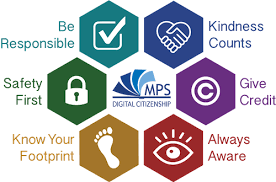

Image Source: https://www.mps-edu.org/domain/766


With my students, I really try to emphasize the importance of digital citizenship. Since tweens and teens are being more nonymous, it is really important that educators talk to them about online safety and how to be a good digital citizen. For me, the internet is a scary place, but it is also full of great resources. When we use the internet, how it is meant to be used, it is full of wonderful topics and tools for everyone to enjoy. I think that it is so important to even teach our younger students about digital citizenship because it will help them protect themselves online, like telling a parent or teacher about what they saw online. 


After reading these statistics, I reflected more on how this applies to my current students. I thought about how much we go online, but we rarely talk about how to properly use the internet. I also try to incorporate more technology, but am I then increasing all of the students’ screen times? I think that educators need to focus on how students should be using the internet and how they can protect themselves when using it. Technology is fun and it is a great tool to use, but we also need to take into consideration how much we actually use it and what we are really looking at online.  


Resources


Anderson, M., & Jiang, J. (2018). Teens,social media & technology 2018. Retrieved from Pew Research Center website: http://assets.pewresearch.org/wpcontent/uploads/sites/14/2018/05/31102617/PI_2018.05 .31_TeensTech_FINAL.pdf


James, C., Weinstein, E., & Mendoza, K. (2019) Teaching digital citizens in today’s world: research and insights behind the common sense K–12 digital citizenship curriculum. Retrieved from Common Sense Media website: https://d1e2bohyu2u2w9.cloudfront.net/education/sites/default/files/tlr_component/common_sense_education_digital_citizenship_research_backgrounder.pdf


Rideout, V., & Robb, M. (2018). Social media,social life: Teens reveal their experiences. Retrieved from Common Sense Media website: https://www.commonsensemedia.org/sites/default/files/uploads/research/2018_cs_socialmediasociallife_fullreport-final-release_2_lowres.pdf


Thursday, September 17, 2020

Digital Mapping

When I first heard the term Digital Mapping, I am not going to lie, I was not sure how this was going to go. First I looked up some examples and videos about digital mapping. I also found that this video was very helpful when trying to design my own digital map. I also thought that “I don’t use technology that much”. WRONG! I used several apps throughout my day for personal usage and professional usage. When I was writing down all of the apps I was using and for what purpose over a few days, I could not believe the apps that I was clicking on for professional use and then personal use. 


Image Source: Deanna Mulay, https://mulaydtechnology.blogspot.com/2020/09/digital-mapping.html


Personal Use: 

Diving into my personal use, most of my apps that I use to watch videos, movies, or TV shows, such as Netflix and YouTube, I am a visitor because I do not post any videos. I am also a visitor when it comes to searching topics on Google and even buying products off of Amazon, and even using PayPal for other products that I buy off of the internet. As I was looking at my apps, I really was not surprised that I am a visitor or that I use these apps on weeknights or weekends. I am busier in the day and most of these apps do not relate to my professional life, so that is why they are not in the professional quadrant. 


I was also not surprised that my emails (Gmail and Yahoo), messaging apps, and Snapchat were in the resident quadrant. I am very active when using my emails. I do look at my emails, but oftentimes they need a response or I am the person sending out emails. This also holds true with text messages and Messenger. I respond and send messages to others. I use all of these apps daily. I also would consider Snapchat as a messaging tool for myself. I really only send out messages to a few friends. I use Snapchat less than all of the other apps on my phone, however I still use it about 4 times a week. 


The apps that I was in between a visitor and a resident were Facebook and Instagram. I post to Facebook and Instagram daily with photos of my dogs or my family. I also comment on other people’s posts and add likes to their photos. When I first started to do my digital map, I thought for sure I was a “full-time” resident, but I realized that some days I will just scroll on both apps and visit, while other times I am an active participant. When I visit, I am looking for a recipe or for new articles. I also found that I am more active on both Facebook and Instagram more on weeknights and weekends as well.  


Professional Use:

When I first started thinking about the apps for professional use, I thought to myself, “There’s going to be so many! It’s going to be hard to squeeze everything in the quadrants.” I quickly realized that I do not use as many apps professionally as I do personally. Again I began to think about visitor and resident for my professional apps. I was not too surprised at Google, the Google Docs, Slides, Spreadsheet, Forms, and Pinterest that I was a visitor on. For me, I use Google to research different lesson plans/ideas as well as using Pinterest. Google Docs, Slides, Spreadsheet, and Forms are used by the administrators to send out information to us, but I have never used it because I am a Long-Term Substitute (I forward those types of messages to the classroom teacher). 


I was actually surprised how much I use Twitter now because I recently downloaded it. I did not realize how quickly I became a resident. I really thought that I was more of a visitor on Twitter. I tend to focus on the teaching sources on Twitter than any other app on my phone. I retweet those articles and also make comments. It is rare that I go on Twitter just to read an article, I found that I go there to share and be active with different topics. I also now use Blogger more than I have ever used it before. Sharing my ideas with others has really helped open my eyes to the world of teaching, but I also look to help other teachers who would like to learn more about different topics. I have also been using SeeSaw, especially with Covid-19. I am a resident because I send the students an assignment and I am able to write directions, expectations, model for students, etc. When the students post their work, I am then able to respond to them using the text feature or sending a voice comment. 


One app that I have found that I use for work and personal use is YouTube. I look up videos to show students, but I also use it for my own enjoyment. Though the two ways that I use this app are very different, I find that this app allows me to search for answers for questions I may have and it also allows for fun and engaging videos for all ages. 


Lately, I have been using Zoom for meeting with the students, but also going to staff meetings as well. I also use Gmail professionally as well. Both of these apps I put in between visitor and resident. I am a visitor on Zoom and Gmail because I go to staff meetings for information and other staff members send me information through Gmail. I am a resident on Zoom because I am teaching the students and doing most of the talking rather than listening. I also respond to emails on Gmail, but I also send out emails to parents and other teachers to ask questions, give updates, etc. 


I loved mapping out my digital space in four quadrants. It gave me a new perspective on how I use the internet and how many times I use it as well. Overall, I thought I was balanced between the visitor and resident sections of my digital map. While I was looking at the apps that I use on my phone over a few days, I found that I was more active at night rather than the daytime, including weekends. I am not too surprised at my digital map. I am more surprised that I did not have more professional apps that I use. My digital map has helped me become aware of the apps I use and how often I use them. It has also helped me realize that I need to start paying attention to apps that will help me grow as a professional. 


Troubleshooting Guide for Educators

Technology is not always perfect or easy to work with. However, by having a step-by-step guide, it will help you better understand your comp...