Showing posts with label digital footprint. Show all posts

Monday, June 28, 2021

Reflective Post #2 EDU 780

Reflective Post #2
By: Deanna Mulay

Image Source: https://www.globalfocusmagazine.com/tag/technology/ 
1. Now that you have finished the course, what is your stance on your role as an educator of Digital and Media Literacy? Has this changed from the beginning of the course?

    Now that I have completed the course, I have learned what digital and media literacy is and why it is important to have in our classrooms. At first, I thought that digital and media literacy was just having students use tools, such as social media or use different sites to research topics. Now that I have learned more about digital and media literacy, I know that it is a way for students to use critical thinking skills, be more engaged in lessons, and allow all students to participate. Digital and media literacy is also a great way for enhancing lessons. Technology is not suppose to replace lessons, only enhance them. In terms of my role as an educator of Digital and Media Literacy, I take more of a stand on different technology platforms for students to use and for me to advocate to enhance lessons for every classroom by  using technology. Technology may seem like a distraction, but educators need to find ways of using the tools to make more lessons engaging for all students. 

2. How can you continue growing as an educator of Digital and Media Literacy?

    I can continue growing as an educator of Digital and Media Literacy by taking risks with technology tools and continue looking into different tools to add in my technology toolbox. I can also create and attend different professional developments to help discover new tools to use for teachers and students as well. During this course, we were asked to find a new tool and also create a professional development. By repeating those assignments, I will be able to continue to grow and develop my skills as an educator of Digital and Media Literacy.  

3. Overall, what will you take away from this course?

    I will take away many ideas from this course. However, the one point that sticks with me is that technology is NOT meant to replace lessons. I think many educators, including myself, thought adding a technology tool at the end of the lesson was a way to incorporate more technology. In reality, technology should be included in every part of a project that students are working on. This course has given me a different take on technology and how I view it in the classroom. It is NOT a distraction or add-on to a lesson, rather an enhancement to the lessons to support all students. 

4. Any other feedback regarding this course (suggestions, questions, feedback etc.)

    I really enjoyed taking this course because I learned so much. I really enjoyed the Cool Tools Show-and-Tell. I think it was a great activity to learn more about different tools. It was also great to read about other educators' tools that they chose. I would like to do a similar activity in the future. I have really enjoyed this course and have learned so much!

Image Source: https://www.chieflearningofficer.com/2021/03/15/reflection-in-action-a-case-for-case-studies-amid-covid-19/


Sunday, October 18, 2020

Final Thoughts

Over the last eight weeks, I have been learning about new technology tools and how I can use those tools in my classroom. Technology is only going to become more advanced with time and it will never go away. As I was writing my previous blogs, I often thought about how I can use the tools that I learned about in my classroom. Would the tools work? Would the tools be engaging for the students? Would the students learn from the tools? And so on. I would have to say that I have become more invested in technology and I am now researching new items to use technology more in the classroom. I had questioned myself for so long about if the technology was going to work for me or I was going to mess up a lesson because I did not fully know how to use the site. Here’s the thing, I realized that technology is changing and it is changing fast. I may not be able to fully keep up with it, but trying to avoid technology altogether is not going to happen. Even if a lesson goes wrong, it is fine! There is no need to just throw my hands in the air and say “I am never using technology with my students again!” Let’s face it, that statement is NOT true.

https://rockresearch.com/top-10-views-on-technology/

In the last few weeks, I feel more confident using different tools and exploring new options for my students. I have not been able to use all of the tools that I learned about just yet, but there is one tool that stood out to me the most. Screencastify is now one of my favorite tools to use. I use it to make videos for my students and upload them to SeeSaw. Screencastify is easy to use for teachers. I definitely want to use Screencastify with my students to have them explain a project they created using the computer or even just to share something about themselves. 

Image Source: https://www.gettingsmart.com/2020/06/smart-review-harnessing-the-power-of-videos-with-screencastify/ 

I went back to my first blog and I was rereading it. I think that I have become a better blogger over the last eight weeks. I never thought I would like to blog about new information and new technology tools to use in my classroom. My blogs give me an opportunity to reflect on how to use different tools and what the internet really has to offer. When I started this course, I was so excited to start and learn new information. I even used the following GIF to describe how I felt about the course.


Image Source: https://media.giphy.com/media/Ta2eHM043vhVS/giphy.gif

After this course, I realized that I feel like the following GIF (very confident) about technology and how to apply what I learned in my classroom with my students.


Image Source: https://media.giphy.com/media/wvI1UUF9pygFO/giphy.gif


Sunday, October 11, 2020

Just A Tweet Away

Just A Tweet Away

Image Source: twitter.com 


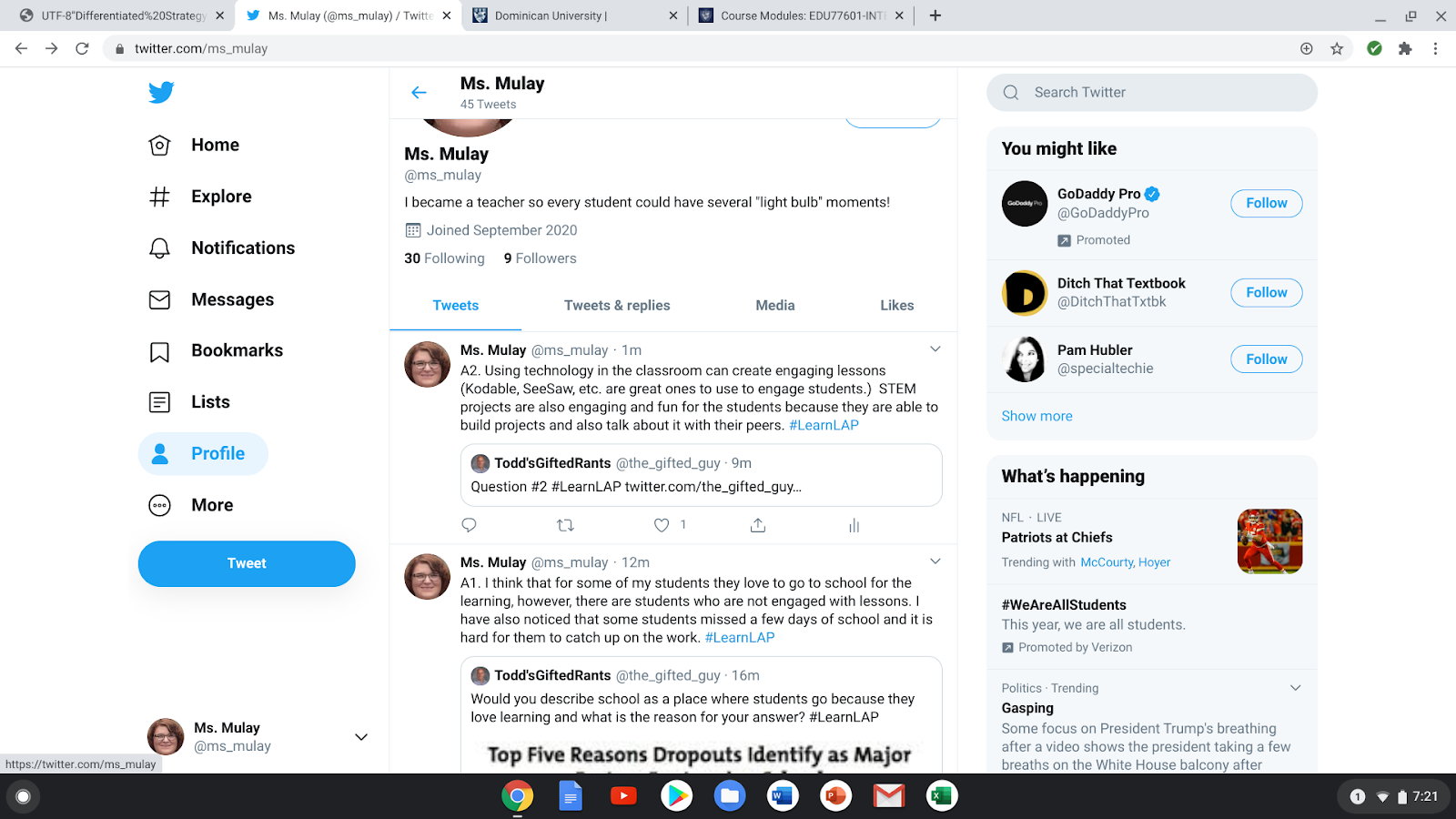
Are you an educator? Do you have Twitter? If not, you need to create a profile for yourself! Years ago I created a private account on Twitter for myself, but I never found what all the fuss was about until I created a public, professional account. Twitter had taken on a whole new light for me when I created my professional account (@ms_mulay). I only created this account four weeks ago and I have come across amazing educators and organizations that have helped my Personal Learning Network (PLN) take off. A few of the educators that I follow are Paul Solarz, Shelly Sanchez, Todd'sGiftedRants, 21st Century Teacher, ColorinColorado, and so many more! 


Twitter Chats:


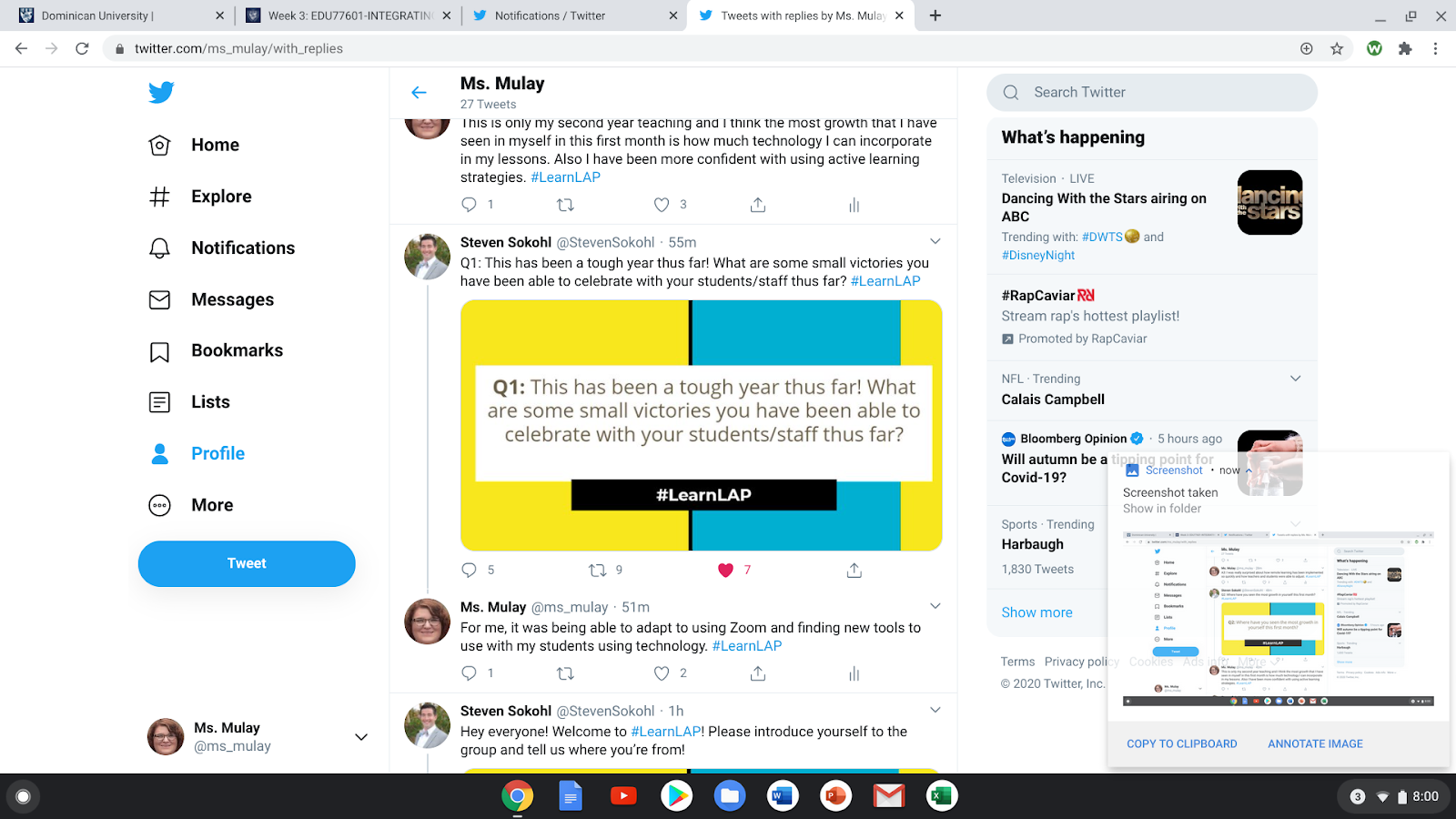
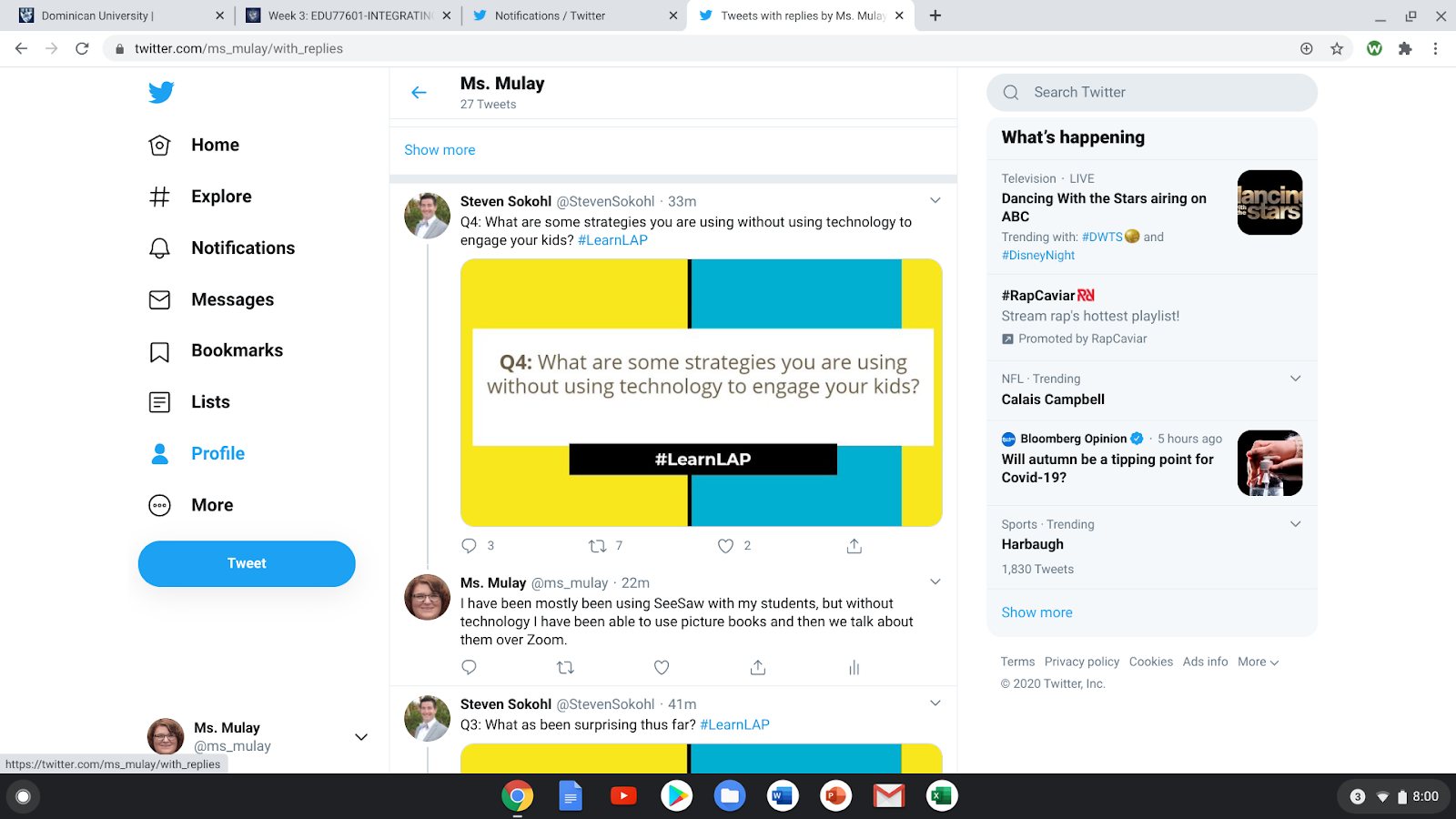
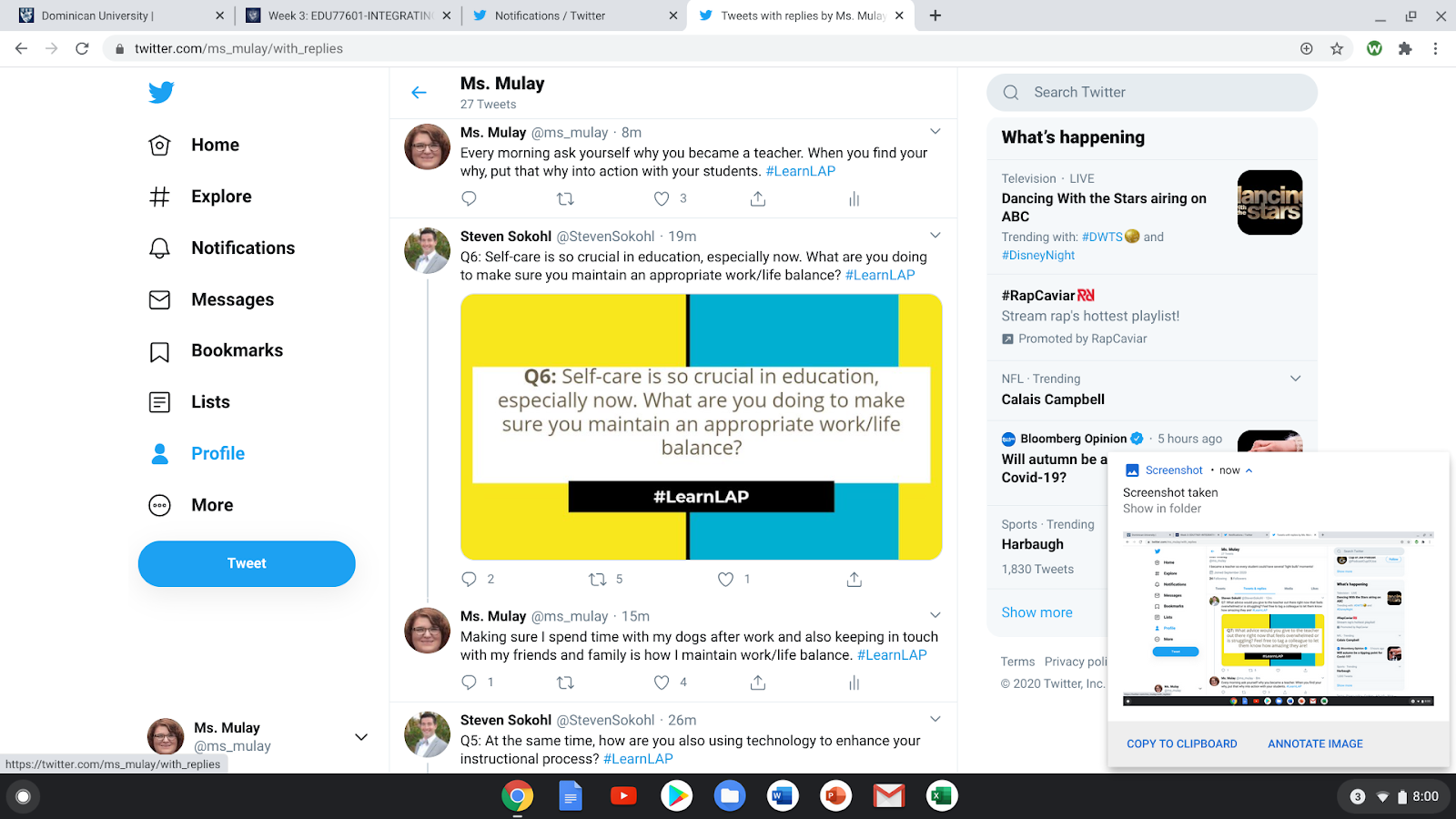
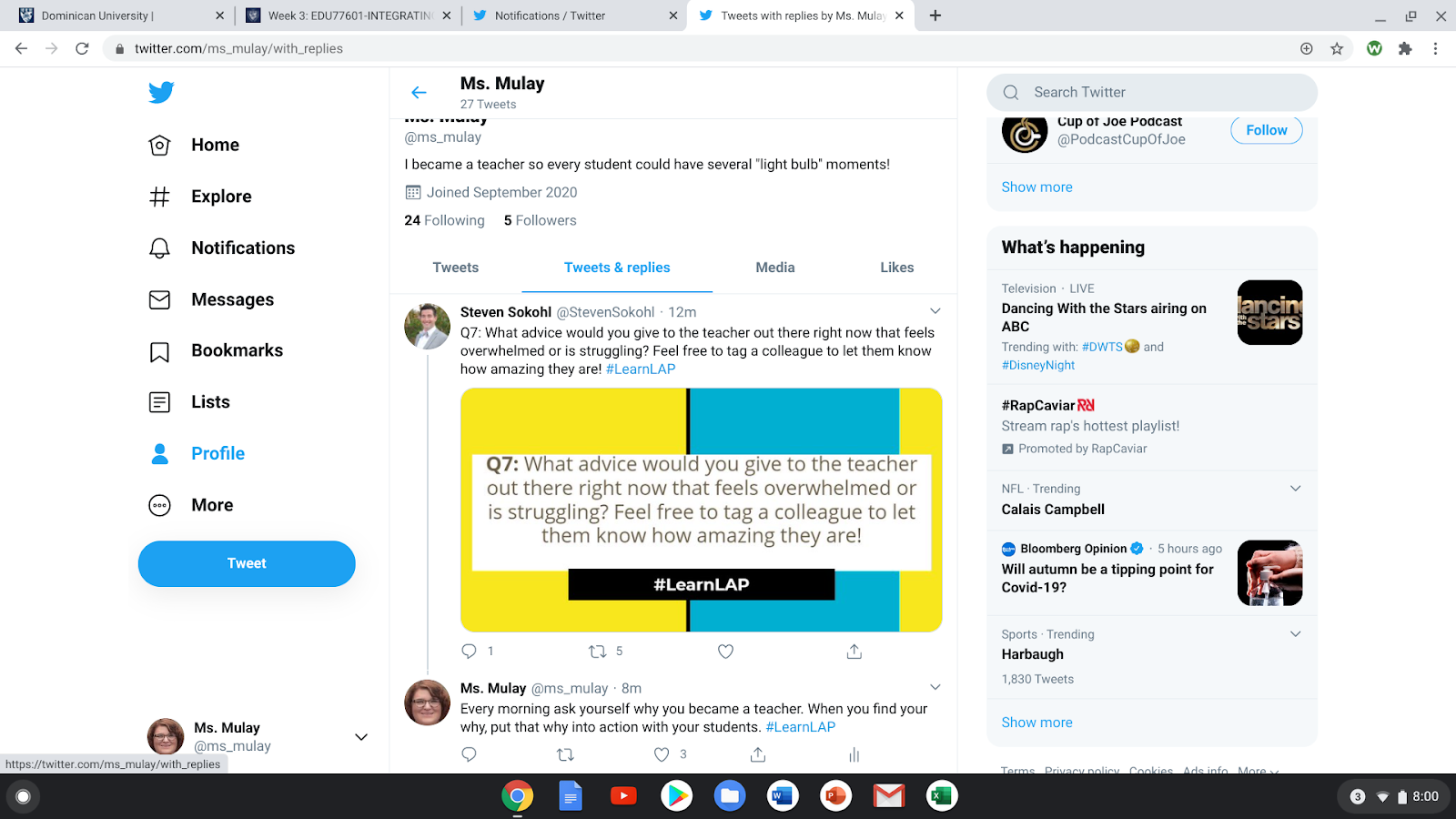
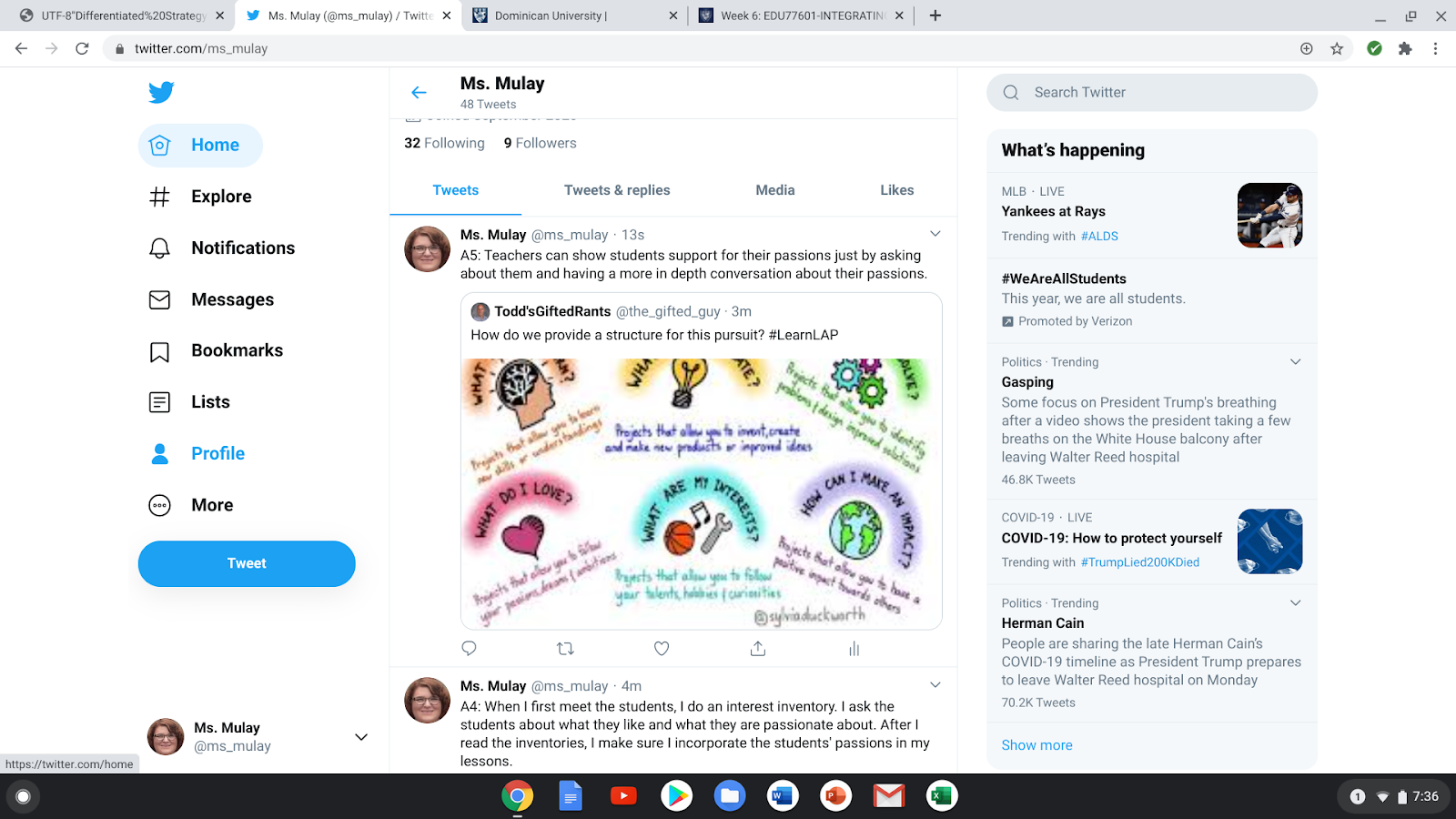
As an educator, it is important to make a professional mark, even on the internet. Twitter has many opportunities to have chats to communicate with other educators. During the four weeks that I have been on Twitter, I have participated in two Twitter Chats. The first chat that I participated in was very engaging and I had a great time answering the questions that Steven Sokohl was posting. I was writing in the comments and noticed that I was receiving a lot of feedback from other educators, which made me feel as if I was a celebrity because I never had any interactions on Twitter before. I also realized that I struggled to put in the hashtag (#) in for my responses. A goal for me is to remember to put the hashtags in my responses before I post them. I really enjoyed this chat because it helped me realize what I do as a teacher and how my job is making a difference, even in a pandemic. I also learned that it is fine to have some personal time and take a mental break because the end of last school year and the beginning of this one has really been difficult on teachers and students.


Below are my responses during this Twitter Chat.


Image Source: Deanna Mulay, Personal Images (@ms_mulay)


After the chat had ended, I was so excited to hear that there was another chat happening the next Monday. So I decided to join that chat, but participate in another way. I “quote retweeted” the question and wrote my answer to the question. I saw a few other people quote retweets the week before, so I thought I would give it a go. Again, I had a great time answering the questions that the host, Todd'sGiftedRants, was asking, but I found that more people were retweeting my responses and making comments to go along with or disagree with what I stated. I had a hard time accepting the comments because I am the type of person that likes to be hidden and not take risks. However, participating in the chat helped me realize that, as a professional, I need to be seen/heard and take risks by collaborating with other educators. Now I understand the purpose of a PLN and how it can help me grow as an educator. 


Again, below are my responses to my second chat. 


Image Source: Deanna Mulay, Personal Images (@ms_mulay)


Resources That Can Grow My PLN:


As I was looking up different people and organizations to follow, I came across amazing resources for teachers. I would have to say my favorite resource that I found was The Nuts and Bolts of Feedback. As educators, we rely on feedback such as observations from our administers, but we also look for feedback as teachers by giving our students assessments. To be a life-long learner, it is important to receive and give strong, supportive feedback. By asking students and even coworkers where they can see themselves in each of the cups on the worksheet (image below), it will help educators and administrators to support others to strengthen their feedback. This resource also provides students an opportunity to self-assess how they see themselves and what they may want to improve on. Self-reflecting is also a great skill for a life-long learner to have. There are so many resources on Twitter that I was missing out on when I did not create my professional account.


Image Source: https://twitter.com/FloopEdu/status/1306262600951279617 


Reflection on Twitter: 


Signing up for my Twitter account, I was reluctant because I thought it was going to be hard to chat with other educators and the tweets would be about random facts or thoughts that people decided to share. However, I found out that Twitter is a great way to find resources, connect with other educators, and build a digital footprint professionally. When I get home, I look forward to scroll through my Twitter feed and see if there are any chats going to happen or if any new books or resources are available. If I did not sign up for Twitter, I would truly be missing out on building and also expanding my PLN. So, if you are an educator who has not signed up for a Twitter account, think about signing yourself up. You never know what resources you will find!   


Thursday, October 1, 2020

Students with Digital Media and Digital Citizenship

This week, I was able to look at different research statistics. I have had technology in my hands since the seventh grade, which was my first (flip) phone, and I have never put technology down since. From the time that I had my first phone to now, times sure have changed, especially since the Covid-19 pandemic. All of a sudden we were in classrooms and now we are online. We will go back to the classrooms one day, but the technologies that we have learned to use will carry over into our “toolbox” forever. However, since technology has grown, we need to make sure we are teaching our students about digital citizenship. Common Sense Media has provided a full curriculum for digital citizenship and different research on media. Teaching Digital Citizens in Today’s World talks about digital citizenship and kids with digital media. 


Image Source: https://d1e2bohyu2u2w9.cloudfront.net/education/sites/default/files/tlr_component/common_sense_education_digital_citizenship_research_backgrounder.pdf


As I was looking through the report from Common Sense Media, I was really shocked about how many children use devices. According to James, Weinstein, & Mendoza, in 2011 from ages 0-8 years old, 41% of children had a smartphone in their home, 8% of children had a tablet in the home, and less than 1% of children had their own tablet. I was not too shocked about the 95% of homes had smartphones and 78% of homes had a tablet in 2017. The percentage that I find very shocking is that in 2017, 42% of children from ages 0-8 had their own tablet. In 2020, I am sure that this percentage is higher because of remote learning. I find it hard to believe that small children have their own device, but do they really know how to use it? Another aspect of the report was that from 2011 to 2017, the media time for children at the ages of 0-8 years old has gone from only five minutes a day and increased to forty-eight minutes a day. 

After I was looking at the children from ages 0-8 years old, I then moved onto tweens (8-12 years old) and teens (13-18 years old). For this data I was not as surprised as I was for the children who were 0-8 years old. Tweens have a daily screen time average of about six hours a day. Teens spend about nine hours a day for their screen time. I found the following statement very interesting: 


“By the time they're teenagers in America, 95 percent of children will have their own mobile device and will, on average, spend almost nine hours a day texting, playing games, posting to social media, watching videos, and more (Rideout & Robb, 2018). As tweens and teens move into the middle and high school years, they have ongoing, 24/7 access to friends and peers via apps and mobile devices, with 45 percent of teens saying they're online "almost constantly"(Anderson & Jiang, 2018).”


Deep down, I knew that teens did not value face to face communication with friends because of texting and social media. I was once that teen, however, when I went to college for my Bachelor’s Degree, I really valued my face-to-face time. The texting and social media was just a bonus. However, I did find it interesting that teens thought they were being manipulated by tech companies. 72% of teens believed that the tech companies manipulated users to spend more time on their devices. (James, Weinstein, & Mendoza, 2019) I think why I am so surprised was because 72% of teens is such a large majority of teenagers. I also thought that not too many teens were paying attention to what tech companies were really doing to their phones. 


On the internet, there can be content that is unsuitable for young children and the overall screen time is increasing. This can be worrisome to parents and educators. For older students, the content and screen time are still an issue, but parents also worry about who their children are speaking to online. There are so many people using the internet that anyone can be talking to someone who they think is “safe”, but really it is NOT safe. 


As educators it is so important to teach our students about digital citizenship. Digital citizenship is the responsible use of technology to learn, create, and participate (James, Weinstein, & Mendoza, 2019) and can be further explained in this video. Students, mostly tweens and teens, want to make their digital footprint and post nonymously. This means that students are more likely to be tied to their real identity on the internet. Especially when posting pictures of themselves daily or on occasion. The Digital Citizenship Curriculum is designed to foster both necessary skills and essential dispositions for digital citizenship. The goal is to support young people in developing skills such as creating a strong password or assessing the credibility of an online source and aim to help young people be reflective, responsible, and ethical decision makers in their connected lives. (James, Weinstein, & Mendoza, 2019) When the teens are more aware of their online privacy, it helps them take steps to protect themselves. The internet can be a scary place, but if we teach the students about digital citizenship, they can take the necessary steps to protect themselves and others online. 


I also found the Teaching Digital Citizens in Today’s World article to be very resourceful when it talked more about The Common Sense Curriculum for digital citizenship. I also really enjoyed the information about the six topics from the curriculum: Media Balance and Well-Being; Privacy and Security; Digital Footprint and Identity; Relationships and Communication; Cyberbullying, Digital Drama, and Hate Speech; and News and Media Literacy. This article also talks more about how to implement digital citizenship for our students as well. 
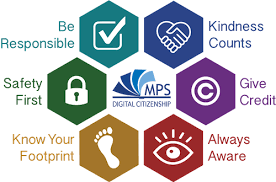

Image Source: https://www.mps-edu.org/domain/766


With my students, I really try to emphasize the importance of digital citizenship. Since tweens and teens are being more nonymous, it is really important that educators talk to them about online safety and how to be a good digital citizen. For me, the internet is a scary place, but it is also full of great resources. When we use the internet, how it is meant to be used, it is full of wonderful topics and tools for everyone to enjoy. I think that it is so important to even teach our younger students about digital citizenship because it will help them protect themselves online, like telling a parent or teacher about what they saw online. 


After reading these statistics, I reflected more on how this applies to my current students. I thought about how much we go online, but we rarely talk about how to properly use the internet. I also try to incorporate more technology, but am I then increasing all of the students’ screen times? I think that educators need to focus on how students should be using the internet and how they can protect themselves when using it. Technology is fun and it is a great tool to use, but we also need to take into consideration how much we actually use it and what we are really looking at online.  


Resources


Anderson, M., & Jiang, J. (2018). Teens,social media & technology 2018. Retrieved from Pew Research Center website: http://assets.pewresearch.org/wpcontent/uploads/sites/14/2018/05/31102617/PI_2018.05 .31_TeensTech_FINAL.pdf


James, C., Weinstein, E., & Mendoza, K. (2019) Teaching digital citizens in today’s world: research and insights behind the common sense K–12 digital citizenship curriculum. Retrieved from Common Sense Media website: https://d1e2bohyu2u2w9.cloudfront.net/education/sites/default/files/tlr_component/common_sense_education_digital_citizenship_research_backgrounder.pdf


Rideout, V., & Robb, M. (2018). Social media,social life: Teens reveal their experiences. Retrieved from Common Sense Media website: https://www.commonsensemedia.org/sites/default/files/uploads/research/2018_cs_socialmediasociallife_fullreport-final-release_2_lowres.pdf


Troubleshooting Guide for Educators

Technology is not always perfect or easy to work with. However, by having a step-by-step guide, it will help you better understand your comp...